引言
在Windows应用程序中,播放系统声音是一个常见的需求。本文将详细介绍在C#中调用系统声音的多种方法,并提供具体的代码示例。
使用 System.Media.SystemSounds 类
基本使用方法
System.Media.SystemSounds 类提供了最简单的系统声音播放方式,包括常见的系统提示音。
C#using System.Media;

// 播放不同类型的系统声音
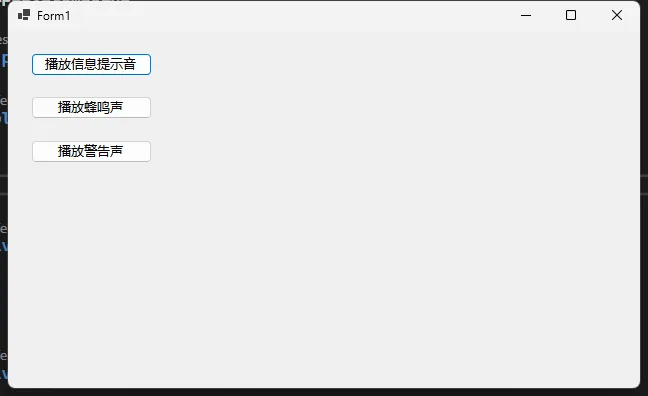
SystemSounds.Asterisk.Play();   // 信息提示音
SystemSounds.Beep.Play();       // 基本蜂鸣声
SystemSounds.Exclamation.Play();// 警告声
SystemSounds.Hand.Play();       // 错误提示音
SystemSounds.Question.Play();   // 询问声
完整示例代码
C#using System.Media;

namespace AppSystemSound
{
    public partial class Form1 : Form
    {
        public Form1()
        {
            InitializeComponent();
        }

        private void btnPlayAsterisk_Click(object sender, EventArgs e)
        {
            SystemSounds.Asterisk.Play();
        }

        private void btnPlayBeep_Click(object sender, EventArgs e)
        {
            SystemSounds.Beep.Play();
        }

        private void btnPlayExclamation_Click(object sender, EventArgs e)
        {
            SystemSounds.Exclamation.Play();
        }
    }
}
什么是延迟加载?
延迟加载(Lazy Loading)是一种设计模式,它允许推迟对象的初始化,直到该对象真正被使用时才进行加载。这种技术可以帮助提高应用程序的性能和资源利用效率。
延迟加载的主要优点
- 减少内存消耗
- 提高应用程序启动速度
- 按需加载资源
- 降低系统开销
C#中的延迟加载实现方式
使用 Lazy 类
Lazy<T> 是.NET Framework 4.0引入的泛型类,提供了最简单的延迟加载实现。
C#using System;
using System.Collections.Generic;
using System.Linq;
using System.Text;
using System.Threading.Tasks;

namespace AppLazy
{
    public class UserProfile
    {
        // 延迟加载的复杂对象
        // ThreadSafetyMode.ExecutionAndPublication 确保线程安全
        private Lazy<ExpensiveResource> _expensiveResource;

        public UserProfile()
        {
            // 使用 LazyThreadSafetyMode 确保线程安全
            _expensiveResource = new Lazy<ExpensiveResource>(
                () => new ExpensiveResource(),
                LazyThreadSafetyMode.ExecutionAndPublication
            );
        }

        public ExpensiveResource GetResource()
        {
            // 只有在调用Value时才真正创建对象
            return _expensiveResource.Value;
        }
    }

    public class ExpensiveResource
    {
        public Guid ResourceId { get; } = Guid.NewGuid();

        public ExpensiveResource()
        {
            // 模拟复杂的初始化过程
            Console.WriteLine($"正在初始化复杂资源 {ResourceId}...");
            Thread.Sleep(2000); // 模拟耗时操作
            Console.WriteLine($"复杂资源 {ResourceId} 初始化完成。");
        }
    }
}
C#namespace AppLazy
{
    internal class Program
    {
        static void Main(string[] args)
        {
            // 创建 UserProfile 实例
            UserProfile userProfile = new UserProfile();

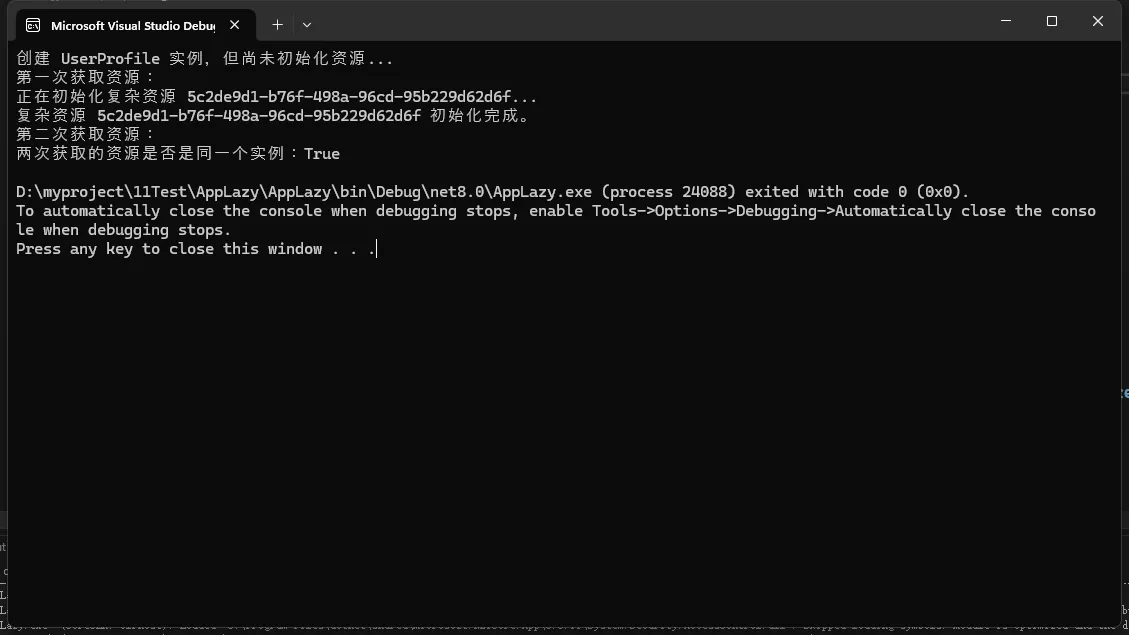
            Console.WriteLine("创建 UserProfile 实例,但尚未初始化资源...");

            // 第一次访问 ExpensiveResource
            Console.WriteLine("第一次获取资源:");
            ExpensiveResource resource1 = userProfile.GetResource();

            // 再次访问,不会重复初始化
            Console.WriteLine("第二次获取资源:");
            ExpensiveResource resource2 = userProfile.GetResource();

            // 验证是否是同一个实例
            Console.WriteLine($"两次获取的资源是否是同一个实例:{object.ReferenceEquals(resource1, resource2)}");
        }
    }
}
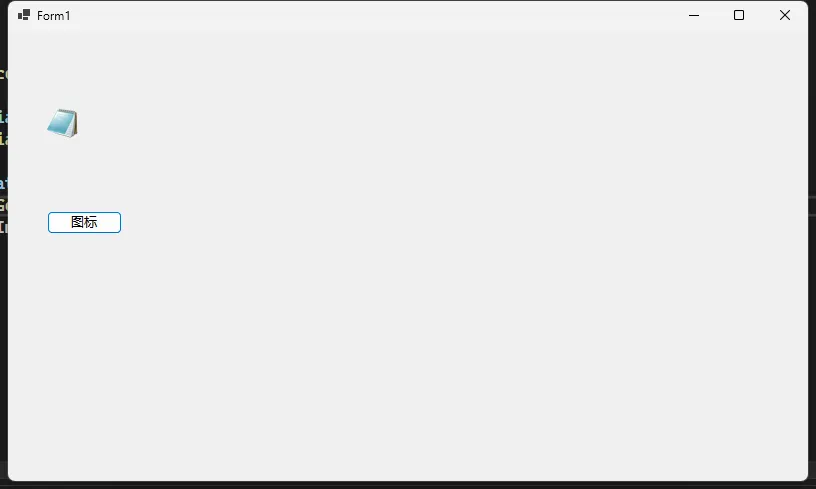
在 Windows 系统开发中,有时我们需要获取文件、文件夹或特定文件类型的系统图标。本文将详细介绍几种在 C# 中提取系统图标的方法。
准备工作
在开始之前,需要引入以下命名空间:
C#using System;
using System.Drawing;
using System.Runtime.InteropServices;
using System.Windows.Forms;
方法一:使用 SHGetFileInfo 获取图标
图标提取方法
C#using System.Runtime.InteropServices;

namespace AppGetIcon
{
    public partial class Form1 : Form
    {

        private const uint SHGFI_ICON = 0x000000100;
        private const uint SHGFI_SMALLICON = 0x000000000;
        private const uint SHGFI_LARGEICON = 0x000000000;

        [DllImport("shell32.dll", CharSet = CharSet.Auto)]
        static extern IntPtr SHGetFileInfo(
        string pszPath,
        uint dwFileAttributes,
        ref SHFILEINFO psfi,
        uint cbSizeFileInfo,
        uint uFlags
        );

        [StructLayout(LayoutKind.Sequential, CharSet = CharSet.Auto)]
        struct SHFILEINFO
        {
            public IntPtr hIcon;
            public int iIcon;
            public uint dwAttributes;
            [MarshalAs(UnmanagedType.ByValTStr, SizeConst = 260)]
            public string szDisplayName;
            [MarshalAs(UnmanagedType.ByValTStr, SizeConst = 80)]
            public string szTypeName;
        }
        public Form1()
        {
            InitializeComponent();
        }

        public Icon GetFileIcon(string filePath, bool isSmallIcon = true)
        {
            SHFILEINFO shinfo = new SHFILEINFO();
            uint flags = SHGFI_ICON | (isSmallIcon ? SHGFI_SMALLICON : SHGFI_LARGEICON);

            IntPtr hImgSmall = SHGetFileInfo(
                filePath,
                0,
                ref shinfo,
                (uint)Marshal.SizeOf(shinfo),
                flags
            );

            if (shinfo.hIcon == IntPtr.Zero)
                return null;

            return Icon.FromHandle(shinfo.hIcon);
        }

        private void btnGetIcon_Click(object sender, EventArgs e)
        {
            OpenFileDialog dialog = new OpenFileDialog();
            if (dialog.ShowDialog() == DialogResult.OK)
            {
                string filePath = dialog.FileName;
                Icon icon = GetFileIcon(filePath);
                pictureBox1.Image = icon.ToBitmap();
            }
        }
    }
}
项目概述
在本教程中,我们将使用 Windows Forms 开发一个功能完整的截图应用程序。这个应用程序将支持以下核心功能:
- 全屏截图
- 区域选择截图
- 保存截图到指定位置
- 复制截图到剪贴板
项目准备
创建 Windows Forms 应用程序
- 打开 Visual Studio
- 创建新项目 -> Windows Forms 应用程序
- 项目名称:ScreenshotApp
核心代码实现
引言
在现代软件开发中,解耦是构建可维护、可扩展系统的关键。事件驱动架构(Event-Driven Architecture,简称 EDA)为我们提供了一种强大的解耦方案,允许组件之间通过事件进行松散耦合的通信。本文将深入探讨如何在 C# 中利用事件驱动架构实现应用解耦。
事件驱动架构的核心概念
事件驱动架构基于以下关键概念:
- 事件发布者(Publisher):产生事件的组件
- 事件订阅者(Subscriber):对特定事件感兴趣并进行处理的组件
- 事件总线(Event Bus):负责事件的分发和路由
实践示例:电子商务订单系统
我们将通过一个电子商务订单系统的例子,展示事件驱动架构的实际应用。
订单类
C#using System;
using System.Collections.Generic;
using System.Linq;
using System.Text;
using System.Threading.Tasks;

namespace AppEvent
{
    public class Order
    {
        public string Id { get; set; }
        public string CustomerId { get; set; }
        public decimal TotalAmount { get; set; }
        public DateTime CreatedAt { get; set; } = DateTime.UtcNow;

        // 可以根据需要添加其他属性,例如订单状态、商品列表等
    }
}