
目录
在Python开发中,布尔类型(bool)看似简单,只有True和False两个值,但它却是程序逻辑控制的基石。无论是条件判断、循环控制,还是函数返回值的设计,布尔类型都发挥着举足轻重的作用。
很多初学者在使用布尔类型时,往往只停留在基础的True/False判断上,却忽略了Python中强大的布尔上下文机制和短路逻辑特性。这些高级特性不仅能让代码更加优雅简洁,还能显著提升程序性能。
本文将从实战角度深入解析Python布尔类型的三大核心应用:基础布尔操作、布尔上下文的灵活运用以及短路逻辑的性能优化,帮助你全面掌握这个看似简单却功能强大的数据类型。
🔍 问题分析:布尔类型的常见误区
在Windows应用开发中,我经常看到开发者对布尔类型的使用存在以下误区:
误区一:认为布尔类型只能存储True/False
误区二:不理解Python的布尔上下文机制
误区三:忽略短路逻辑带来的性能优势
让我们通过实际代码来分析这些问题。
💡 解决方案:布尔类型的三大核心特性
🎯 特性一:布尔类型的本质与创建
Python# 布尔类型的创建方式
print(type(True))   # <class 'bool'>
print(type(False))  # <class 'bool'>

# 布尔类型继承自int
print(isinstance(True, int))   # True
print(isinstance(False, int))  # True

# 布尔值的数值表示
print(True + 1)    # 2
print(False + 1)   # 1
print(True * 5)    # 5
print(False * 5)   # 0
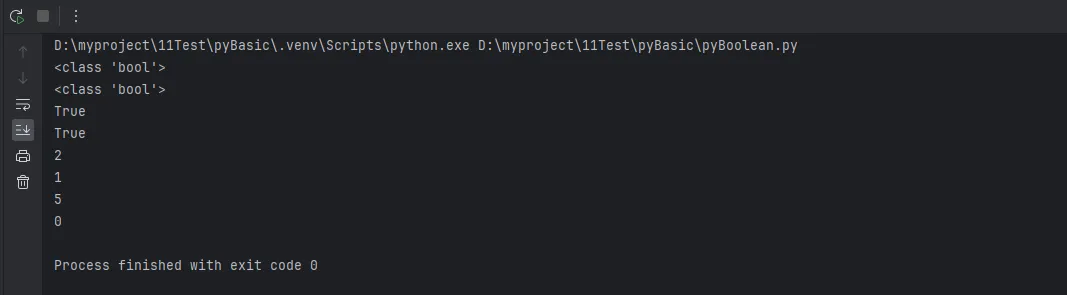
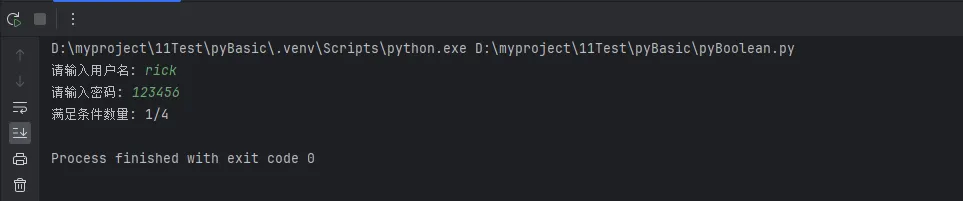
实战应用:在Windows应用开发中,这个特性常用于状态计数:
Python# 统计多个条件满足的个数
username = input("请输入用户名: ")
password = input("请输入密码: ")
conditions = [
    len(username) >= 6,
    any(c.isdigit() for c in password),
    any(c.isupper() for c in password),
    any(c.islower() for c in password)
]

satisfied_count = sum(conditions)  # 利用布尔值的数值特性
print(f"满足条件数量: {satisfied_count}/4")
🔥 特性二:布尔上下文的强大机制
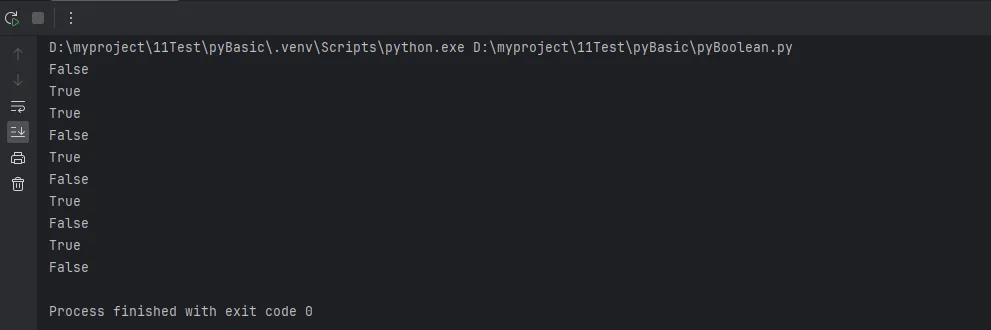
Python中的布尔上下文是指任何对象都可以在需要布尔值的场景中使用。这是Python的一个强大特性:
Python# 数字的布尔上下文
print(bool(0))
print(bool(42))
print(bool(-1))

# 字符串的布尔上下文
print(bool(""))
print(bool("hello"))

# 容器的布尔上下文
print(bool([]))
print(bool([1,2]))
print(bool({}))
print(bool({"key": "value"}))

# None的布尔上下文
print(bool(None))
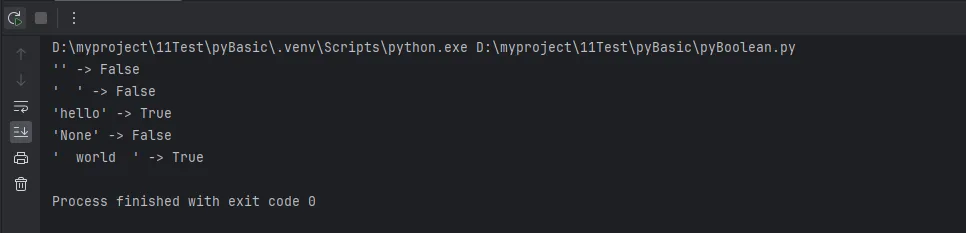
实战案例:用户输入验证的优雅写法
Pythondef validate_user_input(data):
    """用户输入验证 - 利用布尔上下文简化代码"""

    # 传统写法(冗余)
    if data is not None and len(data) > 0 and data.strip() != "":
        return True
    else:
        return False

    # 布尔上下文优雅写法
    return bool(data and data.strip())

# 测试用例
test_cases = ["", "  ", "hello", None, "  world  "]
for case in test_cases:
    print(f"'{case}' -> {validate_user_input(case)}")
实用技巧:配置文件处理中的应用
Pythonclass ConfigManager:
    def __init__(self, config_dict):
        self.config = config_dict

    def get_setting(self, key, default=None):
        """获取配置项,利用布尔上下文提供默认值"""
        value = self.config.get(key)
        return value if value else default

    def is_feature_enabled(self, feature):
        """检查功能是否启用"""
        return bool(self.config.get(feature))

# 使用示例
config = {
    "debug_mode": True,
    "max_connections": 100,
    "log_file": "",  # 空字符串
    "cache_enabled": None
}

manager = ConfigManager(config)
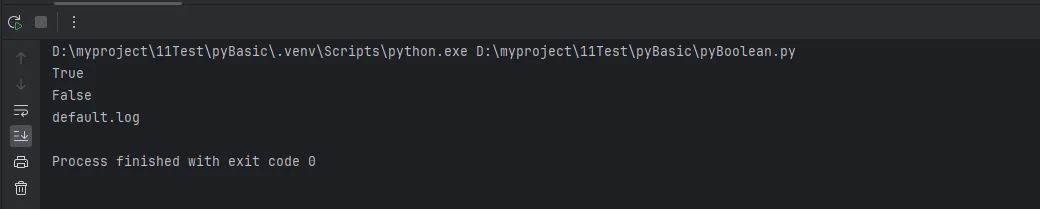
print(manager.is_feature_enabled("debug_mode"))    # True
print(manager.is_feature_enabled("cache_enabled"))  # False
print(manager.get_setting("log_file", "default.log"))  # default.log
⚡ 特性三:短路逻辑的性能优化
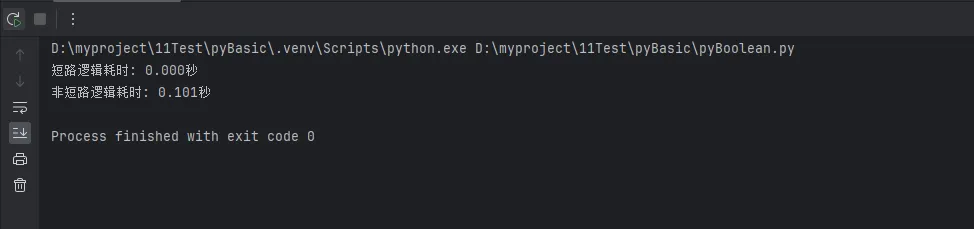
短路逻辑是布尔类型最实用的特性之一,能够显著提升程序性能:
Pythonimport time

def expensive_operation():
    """模拟耗时操作"""
    time.sleep(0.1)
    return True

def quick_check():
    """快速检查"""
    return False

# and短路逻辑演示
start_time = time.time()
result1 = quick_check() and expensive_operation()  # expensive_operation()不会执行
end_time = time.time()
print(f"短路逻辑耗时: {end_time - start_time:.3f}秒")

# 不使用短路逻辑
start_time = time.time()
result2 = expensive_operation() and quick_check()  # 两个函数都会执行
end_time = time.time()
print(f"非短路逻辑耗时: {end_time - start_time:.3f}秒")
实战应用:文件处理中的安全检查
Pythonimport os

def safe_file_operation(filepath):
    """安全的文件操作 - 利用短路逻辑避免异常"""

    # 短路逻辑:只有前面条件为True时,后面才会执行
    if (filepath and                          # 路径不为空
        os.path.exists(filepath) and         # 文件存在
        os.path.isfile(filepath) and         # 是文件而非目录
        os.access(filepath, os.R_OK)):       # 有读权限

        with open(filepath, 'r', encoding='utf-8') as f:
            return f.read()
    else:
        return None

# 测试不同情况
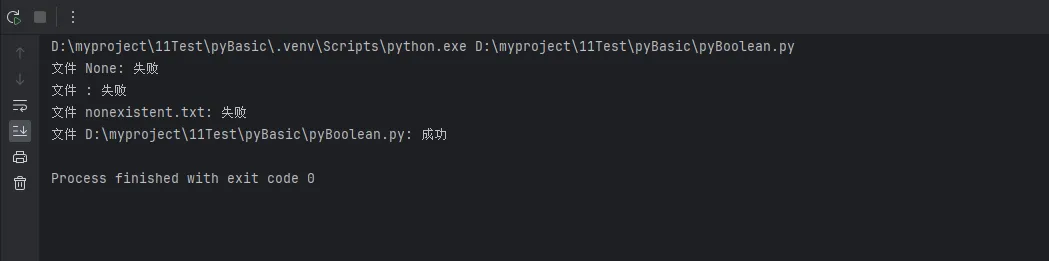
test_files = [None, "", "nonexistent.txt", __file__]
for file in test_files:
    result = safe_file_operation(file)
    status = "成功" if result else "失败"
    print(f"文件 {file}: {status}")
🛠️ 代码实战:布尔类型的综合应用
实战案例:Windows应用的状态管理器
Pythonclass ApplicationStateManager:
    """应用状态管理器 - 综合运用布尔类型特性"""

    def __init__(self):
        self.states = {
            'connected': False,
            'authenticated': False,
            'data_loaded': False,
            'ui_ready': False
        }
        self.error_count = 0
        self.max_errors = 5

    def update_state(self, state_name, value):
        """更新状态"""
        if state_name in self.states:
            self.states[state_name] = bool(value)  # 确保为布尔值
            return True
        return False

    def can_operate(self):
        """检查是否可以执行操作 - 利用短路逻辑"""
        return (self.states['connected'] and
                self.states['authenticated'] and
                self.states['data_loaded'] and
                self.error_count < self.max_errors)

    def get_readiness_score(self):
        """获取就绪分数 - 利用布尔值的数值特性"""
        return sum(self.states.values()) / len(self.states)

    def get_status_report(self):
        """获取状态报告"""
        ready_states = sum(self.states.values())  # 布尔值求和
        total_states = len(self.states)

        status = "运行中" if self.can_operate() else "未就绪"

        return {
            'status': status,
            'ready_count': ready_states,
            'total_count': total_states,
            'readiness_percentage': f"{ready_states/total_states*100:.1f}%",
            'details': self.states.copy()
        }

# 使用示例
manager = ApplicationStateManager()

# 模拟状态更新
manager.update_state('connected', True)
manager.update_state('authenticated', 1)  # 非零数字转为True
manager.update_state('data_loaded', "loaded")  # 非空字符串转为True
manager.update_state('ui_ready', [])  # 空列表转为False

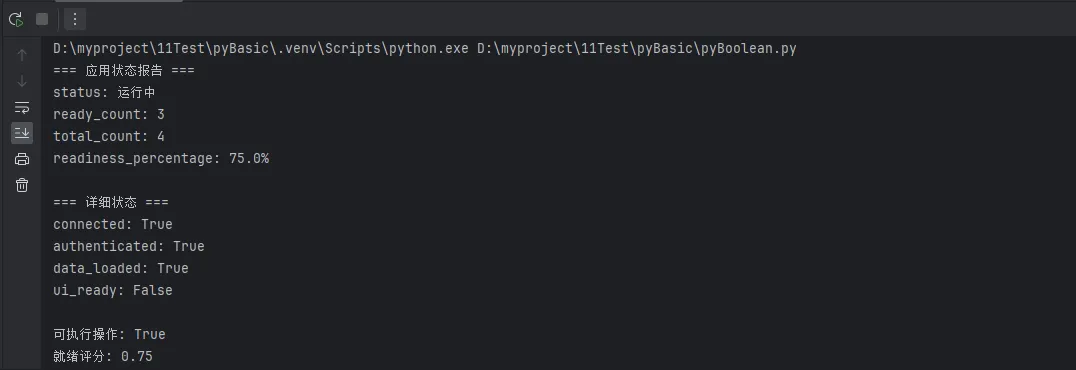
print("=== 应用状态报告 ===")
report = manager.get_status_report()
for key, value in report.items():
    if key != 'details':
        print(f"{key}: {value}")

print("\n=== 详细状态 ===")
for state, value in report['details'].items():
    print(f"{state}: {value}")

print(f"\n可执行操作: {manager.can_operate()}")
print(f"就绪评分: {manager.get_readiness_score():.2f}")
高级技巧:自定义布尔行为
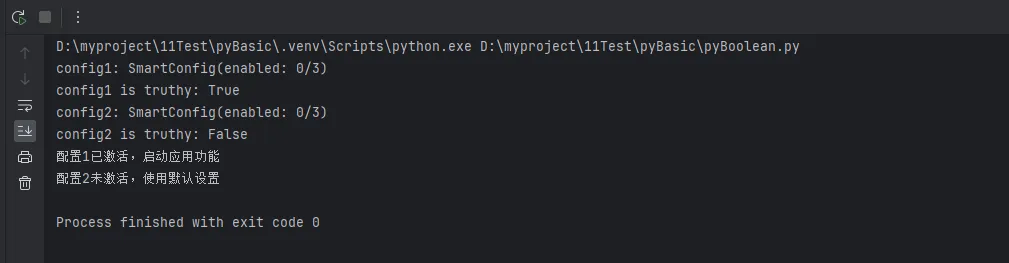
Pythonclass SmartConfig:
    """智能配置类 - 自定义布尔行为"""

    def __init__(self, **kwargs):
        self.config = kwargs
        self.enabled_count = 0

    def __bool__(self):
        """自定义布尔行为"""
        # 当至少有一个配置项为真值时,整个配置对象为True
        self.enabled_count = sum(bool(v) for v in self.config.values())
        return self.enabled_count > 0

    def __str__(self):
        return f"SmartConfig(enabled: {self.enabled_count}/{len(self.config)})"

# 测试自定义布尔行为
config1 = SmartConfig(debug=True, cache=False, logs="")
config2 = SmartConfig(debug=False, cache=False, logs="")

print(f"config1: {config1}")
print(f"config1 is truthy: {bool(config1)}")  # True

print(f"config2: {config2}")
print(f"config2 is truthy: {bool(config2)}")  # False

# 在条件语句中使用
if config1:
    print("配置1已激活,启动应用功能")

if not config2:
    print("配置2未激活,使用默认设置")
🎯 核心要点总结
通过本文的深入解析,我们掌握了Python布尔类型的三大核心特性:
1. 布尔类型的数值特性:布尔值可以参与数学运算,True等于1,False等于0,这个特性在状态统计和条件计数中非常实用。
2. 布尔上下文的灵活机制:Python中任何对象都可以在布尔上下文中使用,空容器、空字符串、None、0都被视为False,其他情况为True。这个机制让代码更加简洁优雅。
3. 短路逻辑的性能优势:and和or操作符具有短路特性,能够避免不必要的函数调用和计算,显著提升程序性能。
掌握这些特性,不仅能让你的Python代码更加Pythonic,还能在实际项目开发中写出更高效、更可维护的代码。在Windows应用开发中,合理运用布尔类型的这些高级特性,将让你的程序逻辑更清晰,性能更优秀。
本文作者:技术老小子
本文链接:
版权声明:本博客所有文章除特别声明外,均采用 BY-NC-SA 许可协议。转载请注明出处!