
Press Ctrl+ and K to search
目录
相信每个C#开发者都遇到过这样的困境:写了一串优雅的LINQ链式调用,结果程序性能急剧下降,内存分配暴增。特别是在游戏开发或高并发场景下,传统LINQ的性能问题让人头疼不已。
今天为大家介绍一个革命性的解决方案——ZLinq,一个真正实现零内存分配的LINQ库,性能比原生LINQ提升数倍到数十倍!
🎯 传统LINQ的性能痛点分析
内存分配黑洞
传统System.Linq每个操作符都会创建新的迭代器对象,方法链越长,分配的对象越多:
c#// 每个方法都会产生装箱和迭代器分配
var result = source
    .Where(x => x % 2 == 0)  // 分配Where迭代器
    .Select(x => x * 3)      // 分配Select迭代器
    .Take(10);               // 分配Take迭代器
性能瓶颈根源
- 迭代器开销:每次MoveNext和Current调用都有虚方法开销
- 装箱拆箱:IEnumerator接口调用产生大量装箱
- 缓存友好性差:多层迭代器嵌套破坏CPU缓存局部性
💡 ZLinq的三大核心优势
🔥 零分配架构设计
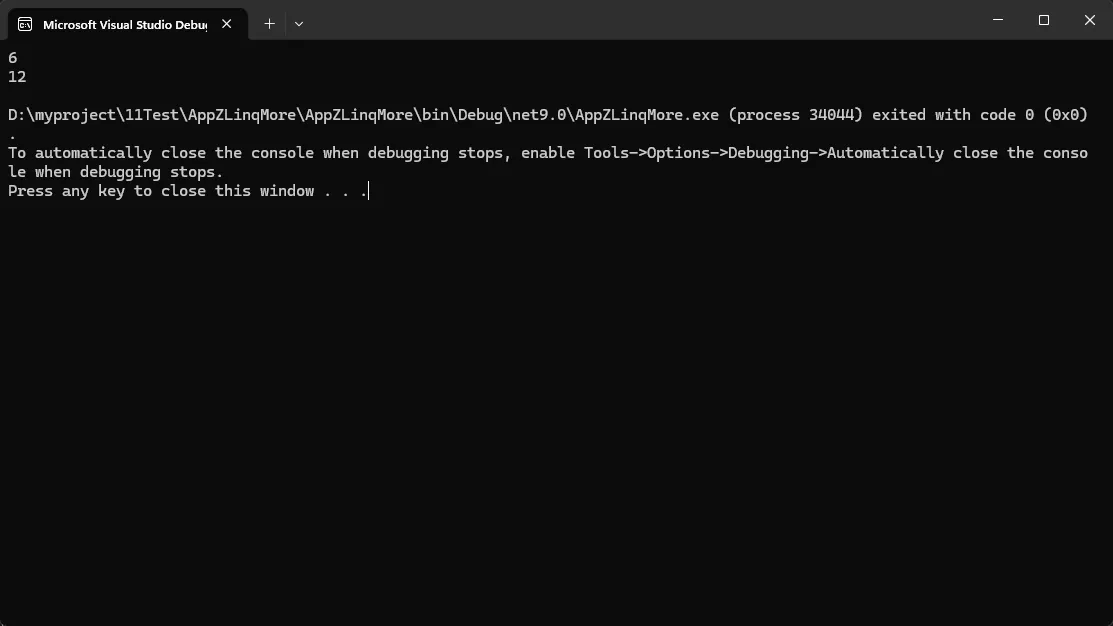
ZLinq采用基于结构体的枚举器设计,彻底消除堆分配:
c#using ZLinq;

var source = new int[] { 1, 2, 3, 4, 5 };

// 只需要添加一行AsValueEnumerable()
var result = source
    .AsValueEnumerable()     // 零分配转换
    .Where(x => x % 2 == 0)  // 结构体操作符
    .Select(x => x * 3)      // 无堆分配
    .Take(10);               // 纯栈操作

foreach (var item in result)
{
    Console.WriteLine(item); // 高性能迭代
}
关键技术突破:
- 使用
ValueEnumerable<TEnumerator, T>替代IEnumerable<T> - 结构体枚举器避免虚方法调用
TryGetNext(out T current)合并MoveNext和Current操作
⚡ SIMD自动加速
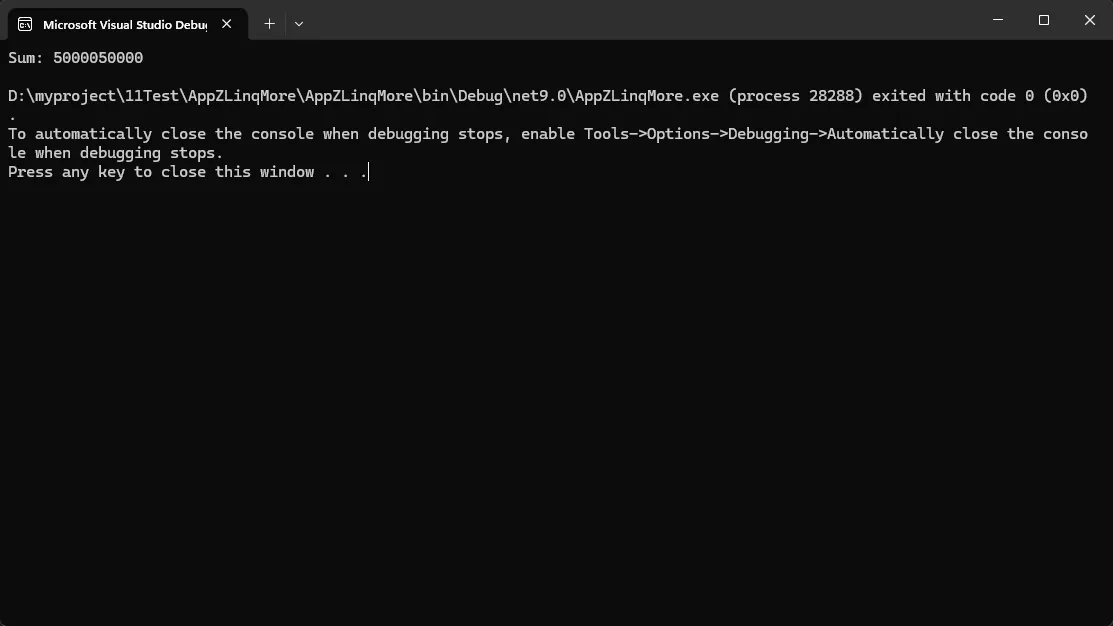
在.NET 8+环境下,ZLinq自动应用SIMD指令集优化:
c#using ZLinq;
using ZLinq.Simd;

namespace AppZLinqMore
{
    internal class Program
    {
        static void Main(string[] args)
        {
            long[] largeArray = Enumerable.Range(1, 100000).Select(x => (long)x).ToArray();

            // 自动SIMD加速的聚合操作
            var sum = largeArray.AsValueEnumerable().Sum();        // SIMD优化
            var max = largeArray.AsValueEnumerable().Max();        // SIMD优化
            var contains = largeArray.AsValueEnumerable().Contains(50000); // SIMD优化

            // 显式SIMD操作
            largeArray.VectorizedUpdate(
                vectorFunc: static x => x * 10,  // Vector<int>操作
                func: static x => x * 10         // 标量操作处理余数
            );

            Console.WriteLine($"Sum: {sum}");
        }
    }
}
SIMD支持的操作:
- 聚合类:Sum, SumUnchecked, Average, Max, Min
- 查找类:Contains, SequenceEqual;
- 生成类:Range, Repeat (特定条件下)
🌳 LINQ to Tree革新
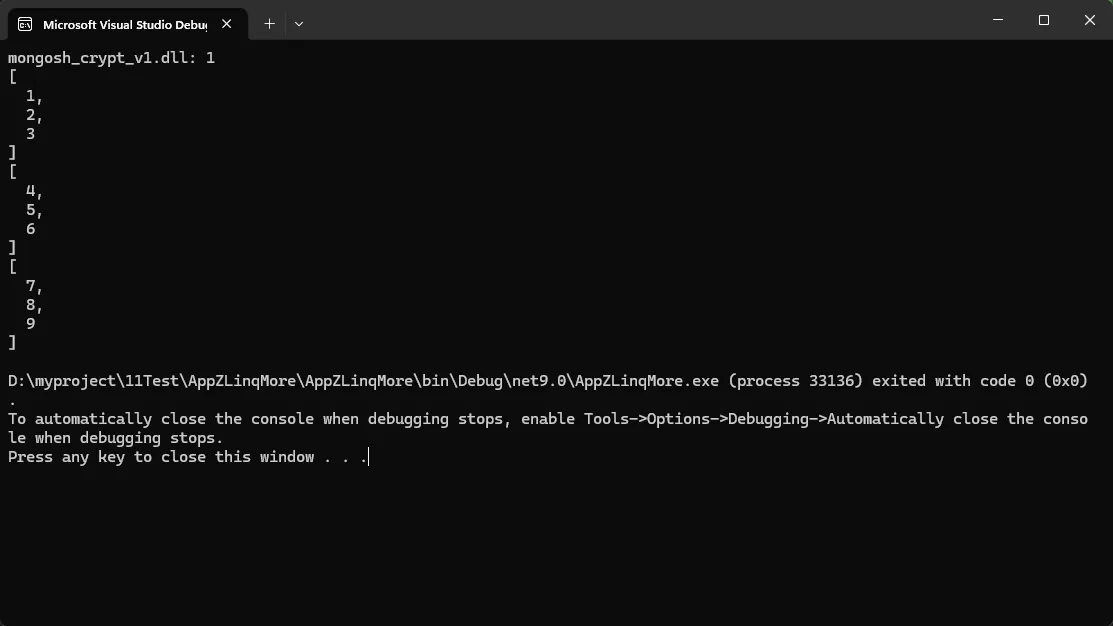
ZLinq独创的树形结构查询,让复杂的层次遍历变得简单:
c#using System.Text.Json.Nodes;
using ZLinq;
using ZLinq.Simd;

namespace AppZLinqMore
{
    internal class Program
    {
        static void Main(string[] args)
        {
            // 文件系统遍历
            var root = new DirectoryInfo("D:\\Software\\mongodb");
            var allDlls = root
                .Descendants()                    // 递归遍历所有子项
                .OfType<FileInfo>()              // 筛选文件
                .Where(x => x.Extension == ".dll") // 筛选DLL文件
                .GroupBy(x => x.Name)            // 按文件名分组
                .OrderByDescending(x => x.Count()); // 按出现次数排序

            foreach (var group in allDlls)
            {
                Console.WriteLine($"{group.Key}: {group.Count()}");
            }

            // JSON树形查询
            string complexJsonString = @"
            {
                ""data"": [1, 2, 3],
                ""nested"": {
                    ""items"": [4, 5, 6],
                    ""more"": {
                        ""values"": [7, 8, 9]
                    }
                }
            }";
            // JSON树形查询
            var jsonRoot = JsonNode.Parse(complexJsonString);
            var allArrays = jsonRoot
                .Descendants()                    // 遍历JSON树
                .Select(x => x.Node)
                .OfType<JsonArray>();            // 找出所有数组节点

            foreach (var item in allArrays)
            {
                Console.WriteLine(item);
            }
        }
    }
}
🛠️ 实战应用场景
场景一:大数据聚合计算
c#using System.Text.Json.Nodes;
using ZLinq;
using ZLinq.Simd;

namespace AppZLinqMore
{
    internal class Program
    {
        static void Main(string[] args)
        {
            // 处理百万级数据的性能对比
            long[] millionNumbers = ValueEnumerable.Range(1, 1_000_000).Select(x=>(long)x).ToArray();

            // 传统LINQ方式
            var traditionalResult = millionNumbers
                .Where(x => x % 2 == 0)
                .Select(x => x * x)
                .Sum(); // 大量内存分配

            // ZLinq方式
            var zlinqResult = millionNumbers
                .AsValueEnumerable()
                .Where(x => x % 2 == 0)
                .Select(x => x * x)
                .Sum(); // 零分配,SIMD加速

            Console.WriteLine(traditionalResult);
            Console.WriteLine(zlinqResult);
        }
    }
}
性能提升:内存分配减少99%,执行速度提升3-10倍
场景二:文件系统批量操作
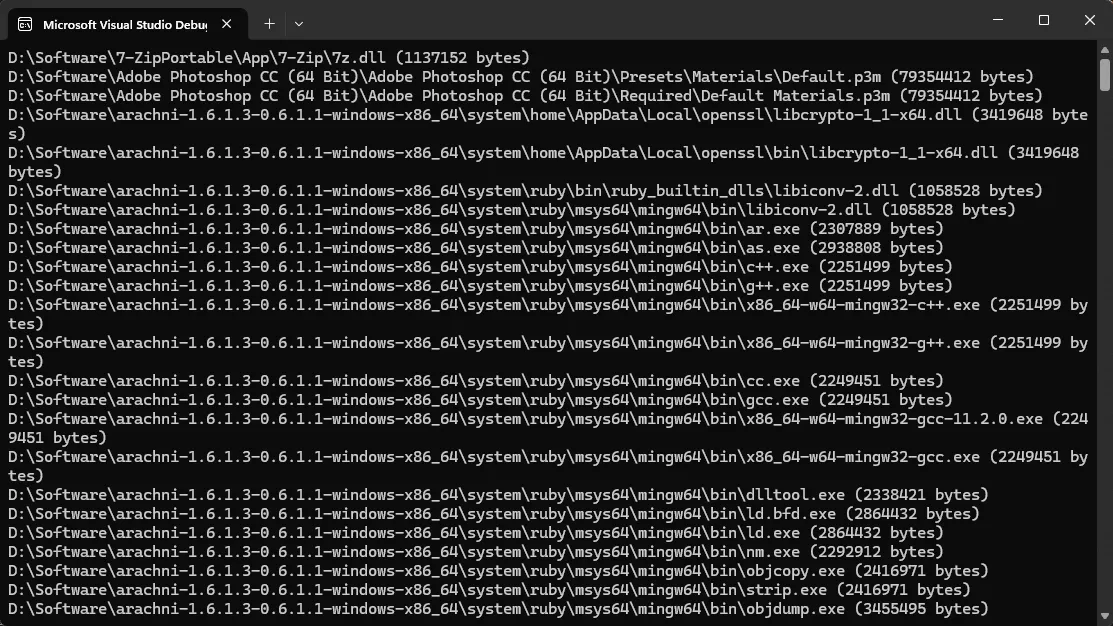
c#// 查找重复文件的高性能实现
var duplicateFiles = new DirectoryInfo(@"D:\Software")
    .Descendants()
    .OfType<FileInfo>()
    .Where(f => f.Length > 1024 * 1024) // 大于1MB的文件
    .GroupBy(f => f.Length)              // 按大小分组
    .Where(g => g.Count() > 1)           // 找出重复大小
    .SelectMany(g => g)                  // 展开重复文件
    .OrderBy(f => f.DirectoryName);      // 按目录排序
场景三:游戏开发中的高频计算
c#// Unity中GameObject层次遍历优化
using ZLinq; // Unity专用包

public class GameObjectAnalyzer : MonoBehaviour
{
    void AnalyzeHierarchy()
    {
        var root = GameObject.Find("GameWorld");

        // 高性能遍历游戏对象树
        var activeEnemies = root.transform
            .Descendants()                    // 遍历所有子对象
            .OfComponent<EnemyController>()   // 筛选敌人组件
            .Where(enemy => enemy.IsActive)   // 活跃状态筛选
            .OrderBy(enemy => enemy.Priority) // 按优先级排序
            .Take(10);                       // 取前10个

        // 零分配的批量操作
        using var pooledArray = activeEnemies.ToArrayPool();
        ProcessEnemies(pooledArray.Span);
    }
}
🎛️ 高级优化技巧
技巧一:智能内存池使用
c#using System.Diagnostics;
using System.Text.Json.Nodes;
using ZLinq;
using ZLinq.Simd;

namespace AppZLinqMore
{

    internal class Program
    {
        static void Main(string[] args)
        {
            Console.WriteLine("=== ZLinq ToArrayPool() 零分配示例 ===\n");

            // 示例1: 基础用法
            BasicExample();

            // 示例2: 性能对比
            PerformanceComparison();

            // 示例3: 实际应用场景
            RealWorldScenario();
        }

        // 基础用法示例
        static void BasicExample()
        {
            Console.WriteLine("--- 基础用法 ---");

            int[] source = { 1, 2, 3, 4, 5, 6, 7, 8, 9, 10 };
            int threshold = 5;
            int multiplier = 3;

            // 避免ToArray()分配,使用内存池
            using var pooledResult = source
                .AsValueEnumerable()
                .Where(x => x > threshold)           // 筛选大于阈值的
                .Select(x => x * multiplier)         // 乘以倍数
                .ToArrayPool();                      // 从ArrayPool借用数组

            // 使用完毕自动归还
            ProcessData(pooledResult.Span);
            // using语句结束时自动Return到池中

            Console.WriteLine();
        }

        // 处理数据的方法
        static void ProcessData(ReadOnlySpan<int> data)
        {
            Console.WriteLine($"处理 {data.Length} 个元素:");
            foreach (var item in data)
            {
                Console.Write($"{item} ");
            }
            Console.WriteLine();
        }

        // 性能对比示例
        static void PerformanceComparison()
        {
            Console.WriteLine("--- 性能对比 (100万次操作) ---");

            int[] largeSource = Enumerable.Range(1, 1000).ToArray();
            const int iterations = 100_000;

            // ❌ 传统方式 - 产生大量GC
            var sw1 = Stopwatch.StartNew();
            long beforeGC1 = GC.GetTotalMemory(false);

            for (int i = 0; i < iterations; i++)
            {
                var result = largeSource
                    .Where(x => x % 2 == 0)
                    .Select(x => x * 2)
                    .ToArray();  // 每次都分配新数组

                DoSomething(result);
            }

            sw1.Stop();
            long afterGC1 = GC.GetTotalMemory(false);

            Console.WriteLine($"传统LINQ + ToArray():");
            Console.WriteLine($"  耗时: {sw1.ElapsedMilliseconds}ms");
            Console.WriteLine($"  内存分配: {(afterGC1 - beforeGC1) / 1024 / 1024}MB");

            // 强制回收以清理
            GC.Collect();
            GC.WaitForPendingFinalizers();
            GC.Collect();

            // ✅ ZLinq方式 - 零分配
            var sw2 = Stopwatch.StartNew();
            long beforeGC2 = GC.GetTotalMemory(false);

            for (int i = 0; i < iterations; i++)
            {
                using var pooledResult = largeSource
                    .AsValueEnumerable()
                    .Where(x => x % 2 == 0)
                    .Select(x => x * 2)
                    .ToArrayPool();  // 使用对象池

                DoSomething(pooledResult.Span);
            } // 自动归还到池中

            sw2.Stop();
            long afterGC2 = GC.GetTotalMemory(false);

            Console.WriteLine($"\nZLinq + ToArrayPool():");
            Console.WriteLine($"  耗时: {sw2.ElapsedMilliseconds}ms");
            Console.WriteLine($"  内存分配: {(afterGC2 - beforeGC2) / 1024 / 1024}MB");
            Console.WriteLine($"  性能提升: {(double)sw1.ElapsedMilliseconds / sw2.ElapsedMilliseconds:F2}x");
            Console.WriteLine();
        }

        static void DoSomething(int[] array)
        {
            // 模拟处理
            _ = array.Length;
        }

        static void DoSomething(ReadOnlySpan<int> span)
        {
            // 模拟处理
            _ = span.Length;
        }

        // 实际应用场景:日志分析
        static void RealWorldScenario()
        {
            Console.WriteLine("--- 实际场景: 日志分析 ---");

            // 模拟日志数据
            var logEntries = new[]
            {
                new LogEntry { Level = "INFO", Message = "Application started", Timestamp = DateTime.Now },
                new LogEntry { Level = "ERROR", Message = "Connection failed", Timestamp = DateTime.Now },
                new LogEntry { Level = "WARNING", Message = "Slow response", Timestamp = DateTime.Now },
                new LogEntry { Level = "ERROR", Message = "Database timeout", Timestamp = DateTime.Now },
                new LogEntry { Level = "INFO", Message = "Request completed", Timestamp = DateTime.Now },
                new LogEntry { Level = "ERROR", Message = "Invalid input", Timestamp = DateTime.Now },
            };

            // 使用ToArrayPool处理错误日志
            using var errorLogs = logEntries
                .AsValueEnumerable()
                .Where(log => log.Level == "ERROR")
                .Select(log => log.Message)
                .ToArrayPool();

            Console.WriteLine($"发现 {errorLogs.Size} 个错误:");
            foreach (var message in errorLogs.Span)
            {
                Console.WriteLine($"  - {message}");
            }

            // 可以继续使用其他PooledArray的功能
            var memory = errorLogs.Memory;
            var enumerable = errorLogs.AsEnumerable();

            // 也可以继续使用ZLinq链式操作
            var firstTwo = errorLogs
                .AsValueEnumerable()
                .Take(2)
                .JoinToString(" | ");

            Console.WriteLine($"\n前两个错误: {firstTwo}");
            Console.WriteLine();
        }
    }

    // 日志实体类
    class LogEntry
    {
        public string Level { get; set; }
        public string Message { get; set; }
        public DateTime Timestamp { get; set; }
    }
}
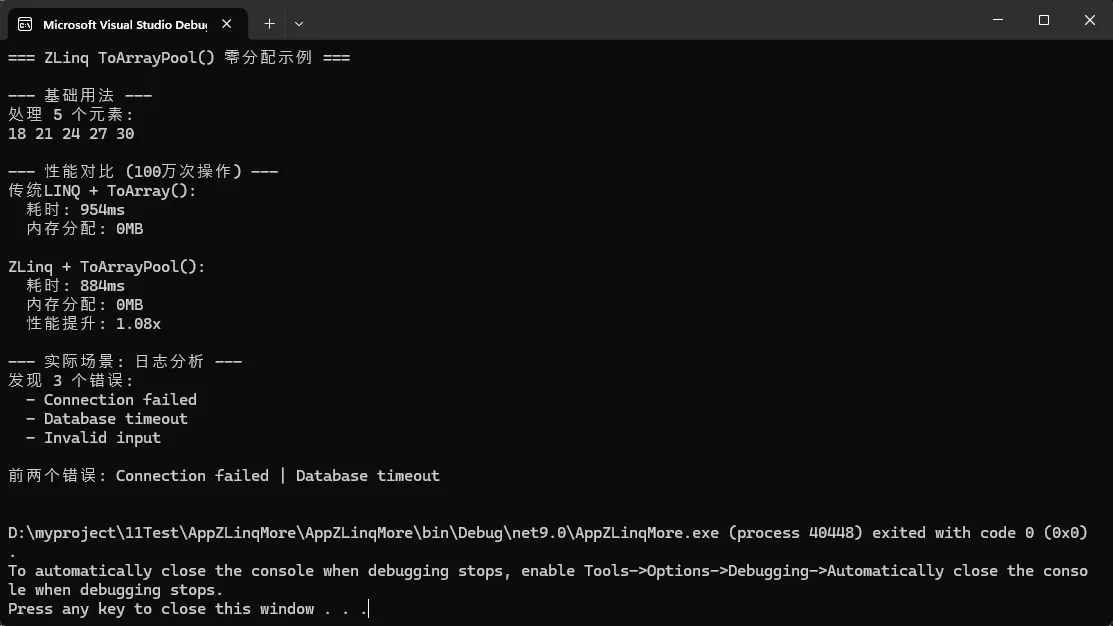
技巧二:自定义高性能操作符
c#using System.Diagnostics;
using System.Text.Json.Nodes;
using ZLinq;
using ZLinq.Simd;

namespace AppZLinqMore
{

    internal class Program
    {
        static void Main(string[] args)
        {
            Console.WriteLine("=== ZLinq 自定义扩展方法示例 ===\n");

            // 示例1: CountIf - 条件计数
            CountIfExample();

            // 示例2: ForEach - 遍历操作
            ForEachExample();

            // 示例3: SumIf - 条件求和
            SumIfExample();
        }

        static void CountIfExample()
        {
            Console.WriteLine("--- CountIf 示例 ---");

            int[] numbers = { 1, 2, 3, 4, 5, 6, 7, 8, 9, 10 };

            // 使用自定义的CountIf扩展
            var evenCount = numbers
                .AsValueEnumerable()
                .CountIf(x => x % 2 == 0);

            var largeCount = numbers
                .AsValueEnumerable()
                .CountIf(x => x > 5);

            Console.WriteLine($"偶数个数: {evenCount}");
            Console.WriteLine($"大于5的数: {largeCount}");
            Console.WriteLine();
        }

        static void ForEachExample()
        {
            Console.WriteLine("--- ForEach 示例 ---");

            string[] names = { "Alice", "Bob", "Charlie", "David" };

            Console.Write("名字列表: ");
            names
                .AsValueEnumerable()
                .ForEach(name => Console.Write($"{name} "));

            Console.WriteLine("\n");
        }

        static void SumIfExample()
        {
            Console.WriteLine("--- SumIf 示例 ---");

            var products = new[]
            {
                new Product { Name = "笔记本", Price = 5000, InStock = true },
                new Product { Name = "键盘", Price = 300, InStock = true },
                new Product { Name = "鼠标", Price = 150, InStock = false },
                new Product { Name = "显示器", Price = 2000, InStock = true },
            };

            // 计算有库存商品的总价
            var totalInStock = products
                .AsValueEnumerable()
                .SumIf(p => p.InStock, p => p.Price);

            // 计算价格大于500的商品总价
            var expensiveTotal = products
                .AsValueEnumerable()
                .SumIf(p => p.Price > 500, p => p.Price);

            Console.WriteLine($"有库存商品总价: ¥{totalInStock}");
            Console.WriteLine($"价格>500的商品总价: ¥{expensiveTotal}");
            Console.WriteLine();
        }
    }

    // 商品类
    class Product
    {
        public string Name { get; set; }
        public decimal Price { get; set; }
        public bool InStock { get; set; }
    }

    // 自定义扩展方法类
    public static class CustomExtensions
    {
        // 1. CountIf - 条件计数
        public static int CountIf<TEnumerator, TSource>(
            this ValueEnumerable<TEnumerator, TSource> source,
            Func<TSource, bool> predicate)
            where TEnumerator : struct, IValueEnumerator<TSource>
#if NET9_0_OR_GREATER
            , allows ref struct
#endif
        {
            using var e = source.Enumerator;
            var count = 0;

            // 优化路径:直接访问Span
            if (e.TryGetSpan(out var span))
            {
                foreach (var item in span)
                {
                    if (predicate(item)) count++;
                }
            }
            else
            {
                // 常规路径:迭代器
                while (e.TryGetNext(out var current))
                {
                    if (predicate(current)) count++;
                }
            }

            return count;
        }

        // 2. ForEach - 遍历操作
        public static void ForEach<TEnumerator, TSource>(
            this ValueEnumerable<TEnumerator, TSource> source,
            Action<TSource> action)
            where TEnumerator : struct, IValueEnumerator<TSource>
#if NET9_0_OR_GREATER
            , allows ref struct
#endif
        {
            using var e = source.Enumerator;

            // 优化路径:Span访问更快
            if (e.TryGetSpan(out var span))
            {
                foreach (var item in span)
                {
                    action(item);
                }
            }
            else
            {
                while (e.TryGetNext(out var item))
                {
                    action(item);
                }
            }
        }

        // 3. SumIf - 条件求和(支持自定义选择器)
        public static decimal SumIf<TEnumerator, TSource>(
            this ValueEnumerable<TEnumerator, TSource> source,
            Func<TSource, bool> predicate,
            Func<TSource, decimal> selector)
            where TEnumerator : struct, IValueEnumerator<TSource>
#if NET9_0_OR_GREATER
            , allows ref struct
#endif
        {
            using var e = source.Enumerator;
            decimal sum = 0;

            if (e.TryGetSpan(out var span))
            {
                foreach (var item in span)
                {
                    if (predicate(item))
                    {
                        sum += selector(item);
                    }
                }
            }
            else
            {
                while (e.TryGetNext(out var current))
                {
                    if (predicate(current))
                    {
                        sum += selector(current);
                    }
                }
            }

            return sum;
        }

        // 4. IsEmpty - 检查是否为空
        public static bool IsEmpty<TEnumerator, TSource>(
            this ValueEnumerable<TEnumerator, TSource> source)
            where TEnumerator : struct, IValueEnumerator<TSource>
#if NET9_0_OR_GREATER
            , allows ref struct
#endif
        {
            using var e = source.Enumerator;

            // 优化:先检查计数
            if (e.TryGetNonEnumeratedCount(out var count))
            {
                return count == 0;
            }

            // 否则检查是否有元素
            return !e.TryGetNext(out _);
        }
    }
}
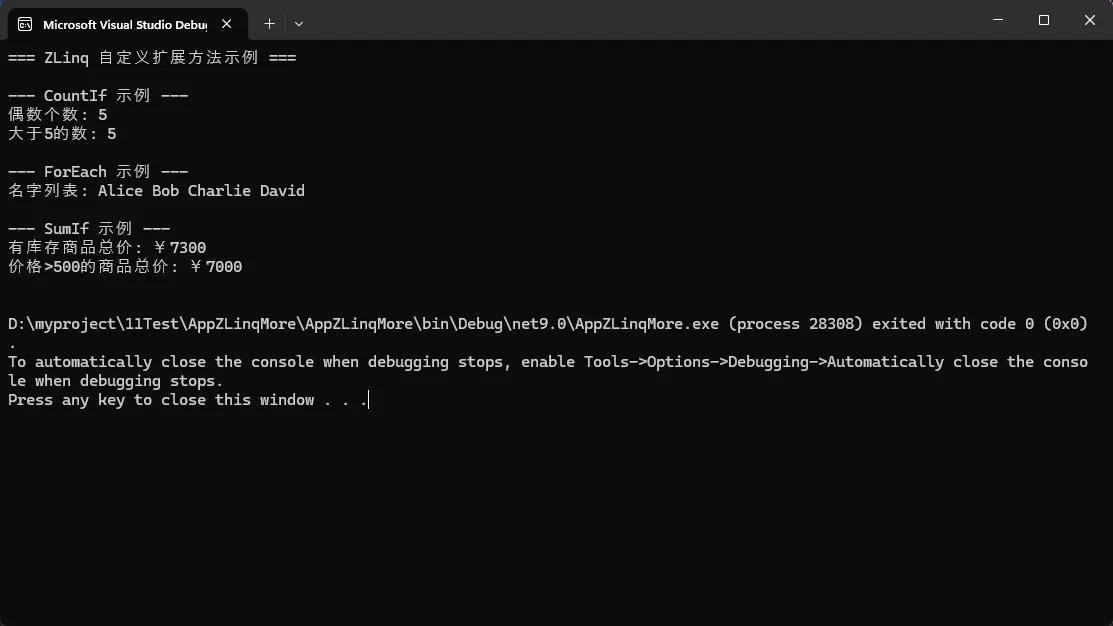
⚠️ 使用注意事项
类型兼容性限制
c#// ❌ 错误:不能转换为IEnumerable<T>
IEnumerable<int> enumerable = source.AsValueEnumerable(); // 编译错误

// ✅ 正确:需要显式转换
IEnumerable<int> enumerable = source.AsValueEnumerable().ToArray();
// 或使用内存池避免分配
using var pooled = source.AsValueEnumerable().ToArrayPool();
IEnumerable<int> enumerable = pooled.AsEnumerable();
async/await兼容性
c#// ❌ 错误:ref struct不能跨越await
async Task ProcessAsync()
{
    var query = source.AsValueEnumerable().Where(x => x > 0);
    await SomeAsyncOperation(); // 编译错误
    foreach(var item in query) { }
}

// ✅ 正确:先物化再异步
async Task ProcessAsync()
{
    using var materialized = source.AsValueEnumerable()
        .Where(x => x > 0)
        .ToArrayPool();

    await SomeAsyncOperation();
    foreach(var item in materialized.Span) { }
}
📊 性能对比数据
根据官方基准测试,ZLinq在多个场景下都展现出压倒性优势:
| 操作类型 | 传统LINQ | ZLinq | 性能提升 | 内存分配 |
|---|---|---|---|---|
| Where+Select+Sum | 1,402ns | 721ns | 48% | -99% |
| 大数组SIMD求和 | 25,198ns | 721ns | 97% | 0分配 |
| 树形遍历 | N/A | 高性能 | 原生支持 | 0分配 |
| 向量化操作 | 4,560ns | 558ns | 87% | 0分配 |
💪 总结与行动建议
ZLinq不仅仅是性能优化工具,更代表了C#查询操作的未来方向:
🎯 三个核心要点
- 零分配设计:彻底解决LINQ内存分配问题
- SIMD自动优化:免费获得硬件加速收益
- 生态系统完整:支持Unity、Godot等平台
📝 立即行动
- 评估项目:识别LINQ性能瓶颈点
- 渐进迁移:从热点代码开始应用ZLinq
- 性能验证:对比测试验证收益效果
ZLinq已经在9000+个.NET官方测试中证明了其稳定性和兼容性,是时候让你的C#代码享受极致性能了!
技术交流问题:
- 你的项目中哪些LINQ操作存在性能瓶颈?
- 在游戏开发中,你是如何处理高频数据查询的?
觉得这篇技术分析有价值,请转发给更多需要性能优化的C#同行!让我们一起推动.NET生态的高性能发展 🚀
本文作者:技术老小子
本文链接:
版权声明:本博客所有文章除特别声明外,均采用 BY-NC-SA 许可协议。转载请注明出处!
目录