
目录
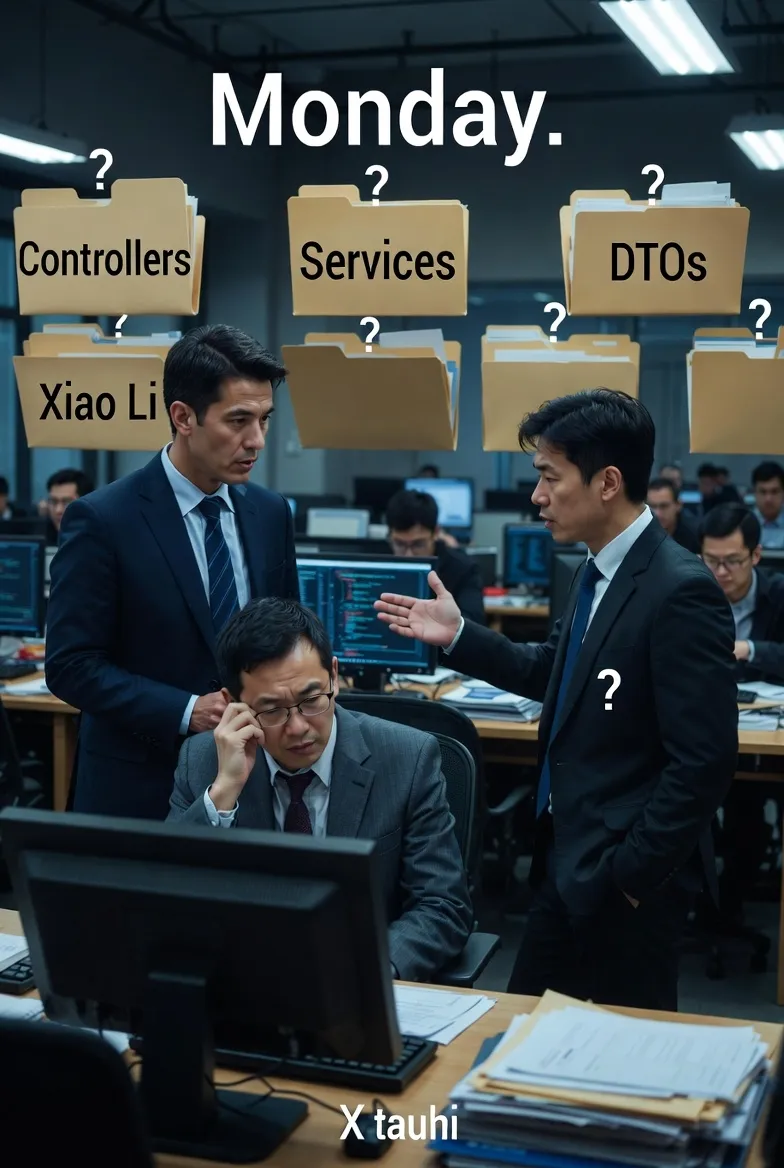
"又是一个周一的下午,产品经理走到开发区:"这个功能什么时候能上线?" 程序员小李抬起疲惫的双眼:"我需要先找到相关代码...在Controllers文件夹...不对,在Services里...等等,DTO在哪来着?" 如果这个场景让你倍感熟悉,那么今天这篇文章将彻底解决你的痛点。
不少C#开发团队在项目架构选择上存在困惑,特别是5人以下的小团队。本文将深入对比两种主流架构模式,帮你找到最适合团队的解决方案。
🎯 问题分析:为什么架构选择如此重要?
现实痛点盘点
在实际开发中,错误的架构选择会带来以下问题:
- 开发效率低下:修改一个功能需要在多个文件夹间跳转
- 代码维护困难:找不到相关联的代码文件
- 团队协作混乱:不同开发者难以快速理解项目结构
- 重构成本高昂:后期调整架构需要大量工作
两种架构模式对比
方案一:垂直切片架构(Vertical Slice Architecture)
c#📁 Features/
├── 📁 Products/
│   ├── ProductController.cs
│   ├── ProductService.cs
│   ├── ProductRepository.cs
│   └── ProductDto.cs
├── 📁 Users/
│   ├── UserController.cs
│   ├── UserService.cs
│   ├── UserRepository.cs
│   └── UserDto.cs
└── 📁 Auth/
    ├── AuthController.cs
    ├── AuthService.cs
    └── AuthDto.cs
我在实际web业务中肯定不会这么干,但有时winform或一些工具的小东西,偶尔会这么干。
方案二:传统分层架构(Traditional Layered Architecture)
c#📁 Controllers/
├── ProductController.cs
├── UserController.cs
└── AuthController.cs
📁 Services/
├── ProductService.cs
├── UserService.cs
└── AuthService.cs
📁 Repositories/
├── ProductRepository.cs
└── UserRepository.cs
📁 DTOs/
├── ProductDto.cs
├── UserDto.cs
└── AuthDto.cs
这个在web中是比较常用的架构,不过实际比这个复杂,一般会是一个解决方案,多个项目
💡 解决方案:5种实战架构策略
🔥 策略一:垂直切片架构的最佳实践
适用场景:5人以下小团队,功能相对独立的项目,实际web项目中我也不推荐
c#namespace App.Features.Products
{
    public class Product
    {
        public int Id { get; set; }
        public string Name { get; set; }

        public decimal Price { get; set; }
    }
}

namespace App.Features.Products
{
    public class ProductDto
    {
        public string Name { get; set; }

        public decimal Price { get; set; }
    }
}

namespace App.Features.Products
{
    public interface IProductRepository
    {
        Task<List<Product>> GetAllAsync();
        Task AddAsync(Product product);
    }
}

namespace App.Features.Products
{
    public class ProductService : IProductService
    {
        private readonly IProductRepository _repository;

        public ProductService(IProductRepository repository)
        {
            _repository = repository;
        }

        public Task<Product> CreateProductAsync(ProductDto dto)
        {
            throw new NotImplementedException();
        }

        public Task<List<ProductDto>> GetAllProductsAsync()
        {
            throw new NotImplementedException();
        }
    }
}

// 控制器
namespace App.Features.Products
{
    [Route("api/[controller]")]
    [ApiController]
    public class ProductController : ControllerBase
    {

        private readonly IProductService _productService;

        public ProductController(IProductService productService)
        {
            _productService = productService;
        }

        [HttpGet]
        public async Task<ActionResult<List<ProductDto>>> GetProducts()
        {
            // 所有Product相关逻辑都在同一个文件夹内
            var products = await _productService.GetAllProductsAsync();
            return Ok(products);
        }

        [HttpPost]
        public async Task<ActionResult<ProductDto>> CreateProduct(ProductDto dto)
        {
            var product = await _productService.CreateProductAsync(dto);
            return Ok(product);
        }
    }
}
![[Pasted image 20251231152543.png]]
💎 实战技巧:
- 每个功能文件夹就像一个"迷你应用"
- 删除功能时只需删除对应文件夹
- 新人接手项目时能快速定位相关代码
🚀 策略二:混合架构模式
c#// 项目结构
📁 Features/
├── 📁 Products/          // 业务功能按垂直切片
│   ├── ProductController.cs
│   ├── ProductService.cs
│   └── ProductModels.cs
├── 📁 Users/
│   └── ...
📁 Infrastructure/        // 基础设施按技术分层
├── 📁 Data/
│   ├── ApplicationDbContext.cs
│   └── Repositories/
├── 📁 Common/
│   ├── Extensions/
│   └── Helpers/
└── 📁 Configuration/
    └── ServiceRegistration.cs
实际业务中,这个架构也不好,当然这个已经将基础设施按技术分层了。
🛡️ 策略三:共享组件的处理方案
c#// 处理跨功能共享的组件
📁 Features/
├── 📁 Products/
├── 📁 Users/
├── 📁 Orders/           // 需要调用Products和Users
└── 📁 Shared/          // 共享组件专用文件夹
    ├── 📁 Auth/        // 身份验证相关
    │   ├── JwtService.cs
    │   └── AuthModels.cs
    ├── 📁 Common/      // 通用工具
    │   ├── EmailService.cs
    │   └── LoggingService.cs
    └── 📁 Domain/      // 领域模型
        ├── BaseEntity.cs
        └── DomainEvents.cs
好些年前用过类似的分层,基本集中在MVC下
📊 策略四:大型项目的模块化方案
c#// 解决方案级别的组织结构
Solution: MyECommerceApp/
├── 📁 src/
│   ├── 📁 MyApp.Web/                    // Web API项目
│   │   ├── Controllers/                 // 传统分层(便于路由管理)
│   │   └── Program.cs
│   ├── 📁 MyApp.Features/               // 功能模块项目
│   │   ├── 📁 Products/                 // 垂直切片
│   │   ├── 📁 Users/
│   │   └── 📁 Orders/
│   ├── 📁 MyApp.Infrastructure/         // 基础设施项目
│   │   ├── 📁 Data/
│   │   └── 📁 Services/
│   └── 📁 MyApp.Shared/                // 共享组件项目
│       ├── 📁 Models/
│       └── 📁 Extensions/
└── 📁 tests/
    ├── 📁 MyApp.Features.Tests/
    └── 📁 MyApp.Integration.Tests/
这种分层是现在webApi开发下常用结构,其实不管项目大小用这个总是好的
⚠️ 常见坑点提醒
坑点一:过度工程化
c#// ❌ 错误做法:项目初期就建立复杂的分层
📁 Domain/
📁 Application/
📁 Infrastructure/
📁 Presentation/
📁 CrossCutting/
// 只有3个简单的CRUD功能,却建立了5层架构

// ✅ 正确做法:从简单开始,逐步演进
📁 Features/
├── 📁 Products/
├── 📁 Users/
└── 📁 Orders/
// 功能复杂后再考虑进一步拆分
坑点二:共享组件滥用
c#// ❌ 错误:所有东西都放到Shared中
📁 Shared/
├── ProductHelper.cs      // 应该在Products功能中
├── UserValidator.cs      // 应该在Users功能中
└── OrderCalculator.cs    // 应该在Orders功能中

// ✅ 正确:只有真正通用的组件才共享
📁 Shared/
├── EmailService.cs       // 多个功能都需要发邮件
├── CacheService.cs       // 通用缓存服务
└── DateTimeProvider.cs   // 时间提供者(便于单元测试)
📊 性能与维护性对比
| 维度 | 垂直切片架构 | 传统分层架构 |
|---|---|---|
| 🔍 代码定位速度 | ⭐⭐⭐⭐⭐ | ⭐⭐⭐ |
| 🚀 新功能开发效率 | ⭐⭐⭐⭐⭐ | ⭐⭐⭐ |
| 🔧 跨功能代码复用 | ⭐⭐⭐ | ⭐⭐⭐⭐⭐ |
| 📚 新人上手难度 | ⭐⭐⭐⭐ | ⭐⭐ |
| 🛠️ 重构便利性 | ⭐⭐⭐⭐⭐ | ⭐⭐ |
🎯 三个关键要点总结
通过深入分析和实战验证,我为你总结出选择架构的三个黄金法则:
- 团队优先原则:小团队小项目可以优选垂直切片,能够最大化开发效率和代码可维护性
- 渐进式演进:从简单的垂直切片开始,随着项目复杂度增长再引入必要的分层结构
- 一致性胜过完美:团队内保持架构一致性比追求理论上的完美架构更重要
你的项目目前使用的是哪种架构模式?在实际开发中遇到过哪些架构相关的痛点? 欢迎在评论区分享你的经验,让我们一起探讨更适合中国开发团队的C#架构最佳实践。
如果这篇文章解决了你的困惑,请转发给你的团队伙伴,让更多C#开发者受益!
本文作者:技术老小子
本文链接:
版权声明:本博客所有文章除特别声明外,均采用 BY-NC-SA 许可协议。转载请注明出处!