在Windows Python开发中,配置文件管理是每个开发者都会遇到的问题。是否还在为硬编码的配置信息而苦恼?是否想要一个既灵活又易于维护的配置方案?
JSON配置文件凭借其轻量级、可读性强、跨平台兼容的特点,已成为现代Python应用的首选配置格式。无论是桌面应用、Web服务还是上位机开发,掌握JSON配置文件的读写技巧都是必备技能。
本文将从实际开发场景出发,详细讲解Python读写JSON配置文件的各种方法和最佳实践,帮助你构建更加专业和可维护的应用程序。
🔍 问题分析
为什么选择JSON作为配置文件格式?
在Python开发中,常见的配置文件格式有:
- INI文件:适合简单配置,但不支持复杂数据结构
- XML文件:功能强大但语法冗长
- YAML文件:可读性好但需要额外依赖
- JSON文件:原生支持,结构清晰,是最佳选择
JSON配置文件的核心优势
- 原生支持:Python内置json模块,无需额外安装
- 数据类型丰富:支持字符串、数字、布尔值、列表、字典等
- 跨平台兼容:在Windows、Linux、macOS下都能正常工作
- 易于维护:结构清晰,便于版本控制和团队协作
💡 解决方案
🏗️ 配置文件结构设计
一个良好的JSON配置文件应该具备以下特征:
JSON{
    "app_info": {
        "name": "MyPythonApp",
        "version": "1.0.0",
        "author": "Developer"
    },
    "database": {
        "host": "localhost",
        "port": 3306,
        "username": "root",
        "password": "password123",
        "database_name": "myapp_db"
    },
    "logging": {
        "level": "INFO",
        "file_path": "logs/app.log",
        "max_size": "10MB",
        "backup_count": 5
    },
    "features": {
        "auto_save": true,
        "theme": "dark",
        "language": "zh-CN",
        "plugins": ["plugin1", "plugin2"]
    }
}
🔧 基础读写操作
读取JSON配置文件
Pythonimport json
import os
from pathlib import Path

def load_config(config_path='config.json'):
    """
    加载JSON配置文件

    Args:
        config_path: 配置文件路径

    Returns:
        dict: 配置数据字典
    """
    try:
        # 检查文件是否存在
        if not os.path.exists(config_path):
            raise FileNotFoundError(f"配置文件 {config_path} 不存在")

        # 读取配置文件
        with open(config_path, 'r', encoding='utf-8') as file:
            config = json.load(file)

        print(f"✅ 成功加载配置文件: {config_path}")
        return config

    except json.JSONDecodeError as e:
        print(f"❌ JSON格式错误: {e}")
        return None
    except Exception as e:
        print(f"❌ 读取配置文件失败: {e}")
        return None

# 使用示例
config = load_config()
if config:
    print(f"应用名称: {config['app_info']['name']}")
    print(f"数据库主机: {config['database']['host']}")

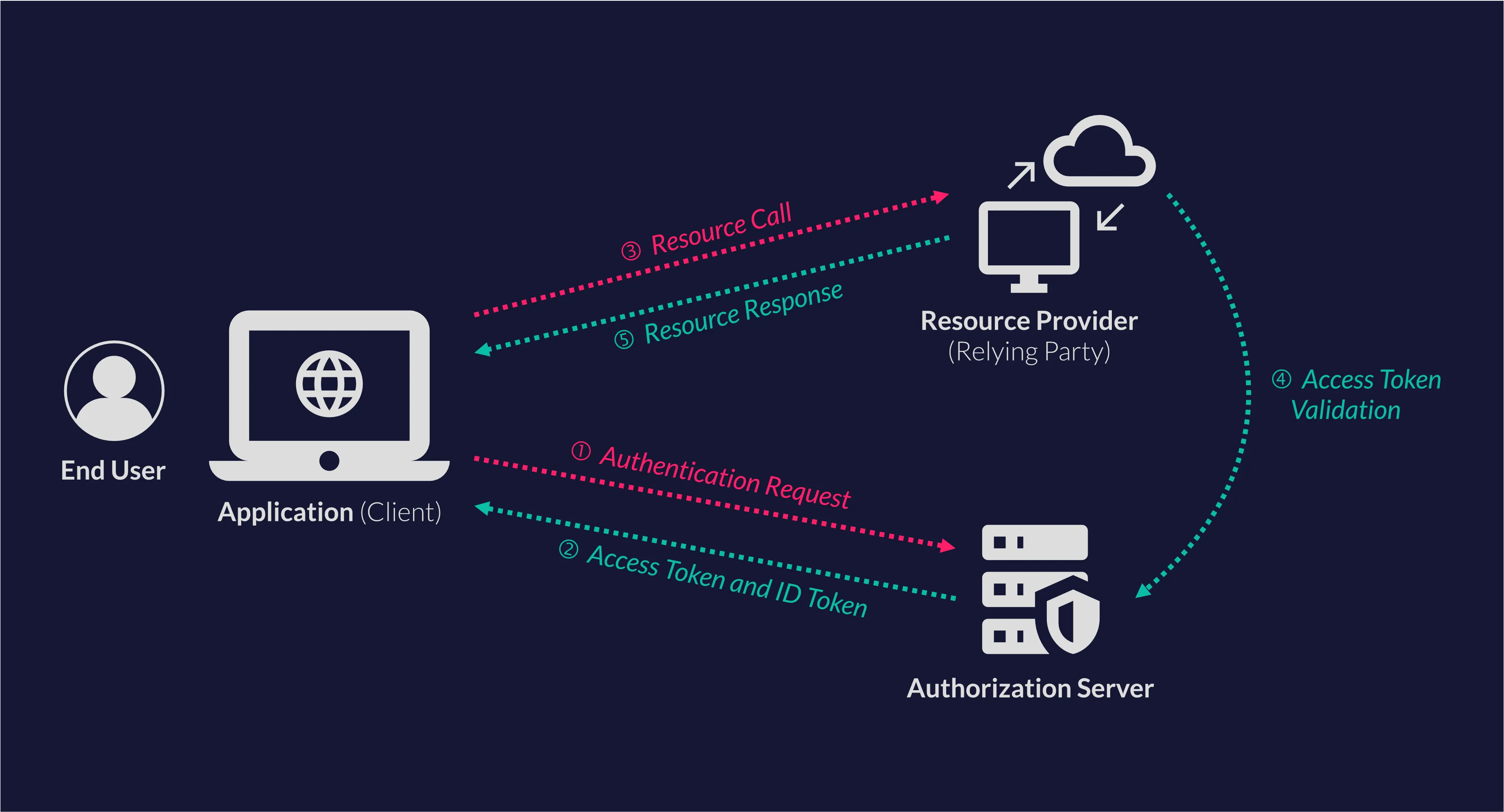
在当今企业数字化转型的浪潮中,单点登录(SSO)已成为提升用户体验和系统安全性的关键技术。OpenID Connect(OIDC)作为现代身份认证标准,被越来越多的企业采用。本文将通过一个完整的Python实战项目,带你深入理解OIDC协议,并手把手教你构建一个功能完善的企业级OIDC客户端。
无论你是刚接触身份认证的Python开发者,还是希望深入理解OIDC实现细节的技术专家,这篇文章都将为你提供实用的代码实战和最佳实践指导。我们将从零开始构建一个支持完整认证流程、JWT验证、PKCE安全增强的OIDC客户端。
🎯 问题分析:企业级OIDC客户端的挑战
核心挑战识别
在企业环境中实现OIDC客户端,开发者通常面临以下几个关键挑战:
1. 协议复杂性
- OIDC建立在OAuth 2.0之上,涉及多个端点和复杂的token交换流程
- 需要处理授权码流程、隐式流程、客户端凭证流程等多种认证模式
- JWT token验证涉及复杂的密码学操作
2. 安全性要求
- 必须实现PKCE(Proof Key for Code Exchange)防止授权码拦截攻击
- JWT签名验证确保token完整性
- 安全的本地回调处理机制
3. 用户体验
- 自动浏览器集成和回调处理
- 友好的错误提示和状态反馈
- 支持不同网络环境的灵活配置
在日常的Python开发工作中,我们经常需要将数据、报告或者图表导出为PDF格式。无论是生成财务报表、用户证书、还是系统日志,PDF作为一种通用的文档格式,具有跨平台兼容性好、格式稳定的优势。
本文将从实际项目需求出发,详细介绍如何使用Python生成PDF文档。我们将涵盖从简单的文本PDF到复杂的图表报告生成,帮助你掌握Python PDF生成的核心技术和实战技巧。无论你是刚接触Python开发的新手,还是需要在上位机开发中集成PDF功能的资深开发者,这篇文章都将为你提供实用的解决方案。
🔍 问题分析
为什么选择Python生成PDF?
在Windows开发环境中,Python生成PDF有以下几个显著优势:
- 生态丰富:Python拥有多个成熟的PDF处理库
- 跨平台兼容:生成的PDF可以在任何设备上正常显示
- 自动化程度高:可以批量生成,无需人工干预
- 集成性强:可以轻松与数据库、Web框架结合
常见的PDF生成需求
- 报告生成:将数据分析结果导出为PDF报告
- 证书制作:批量生成用户证书或凭证
- 发票开具:自动生成标准格式的发票
- 文档转换:将HTML、Markdown等格式转换为PDF
💡 解决方案
🛠️ 主流PDF生成库对比
| 库名 | 特点 | 适用场景 |
|---|---|---|
| reportlab | 功能强大,支持复杂布局 | 复杂报告、图表生成 |
| fpdf | 轻量级,易于学习 | 简单文档生成 |
| weasyprint | 支持HTML/CSS转PDF | 网页内容转换 |
| pdfkit | 基于wkhtmltopdf | HTML模板转PDF |
在AI大模型普及的今天,如何利用Python快速构建一个智能对话应用成为了许多开发者关注的焦点。Deepseek作为国内优秀的大语言模型,凭借其强大的推理能力和便捷的API接口,为Python开发者提供了绝佳的应用开发机会。
本文将手把手教你如何使用Python开发一个完整的Deepseek应用,从环境搭建到代码实战,再到优化部署,让你快速掌握AI应用开发的核心技能。无论你是Python初学者还是有一定基础的开发者,都能从这篇文章中获得实用的开发经验和最佳实践。
🔍 问题分析:为什么选择Deepseek?
💰 成本优势
Deepseek相比GPT-4等国外模型,在API调用费用上有着明显优势:
- 价格透明:按token计费,成本可控
- 免费额度:新用户通常有一定的免费调用额度
- 性价比高:在保证质量的前提下,成本仅为GPT-4的1/10左右
🎯 技术特点
- 推理能力强:在数学、逻辑推理方面表现优异
- 中文理解好:针对中文场景进行了深度优化
- API简单:接口设计简洁,易于集成
🌐 应用场景
- 智能客服系统
- 代码生成助手
- 文档问答机器人
- 教育辅导应用
你是否还在纠结如何为你的Python脚本添加一个直观的图形界面?是否想要摆脱黑乎乎的命令行窗口,给用户一个更友好的操作体验?今天我们就来解决这个问题!
本文将带你从零开始创建第一个Tkinter窗口程序,这是Python内置的GUI工具包,无需额外安装任何第三方库。我们将通过实战代码,让你快速掌握Python GUI开发的核心技能,为后续的上位机开发和桌面应用程序开发打下坚实基础。
不管你是Python新手还是有一定经验的开发者,这篇文章都会给你带来实用的编程技巧和最佳实践。
🔍 问题分析
在Windows环境下进行Python开发时,我们经常会遇到以下几个问题:
1. 命令行界面不够友好
- 普通用户不愿意使用黑色的CMD窗口
- 参数输入容易出错,缺乏直观的反馈
2. 程序交互性差
- 无法实时显示程序状态
- 缺乏可视化的控制元素
3. 部署和分发困难
- 需要用户了解命令行操作
- 专业性要求过高,限制了用户群体
Tkinter作为Python的标准GUI库,完美解决了这些问题。它具有以下优势:
- ✅ 内置库:Python安装即可用,无需pip install
- ✅ 跨平台:Windows、Mac、Linux都支持
- ✅ 轻量级:适合小到中型桌面应用
- ✅ 学习曲线平缓:API简单易懂
💡 解决方案
🎨 Tkinter核心概念
在开始编码之前,我们需要理解几个核心概念:
1. 根窗口(Root Window)
- 每个Tkinter应用的主容器
- 所有其他组件的父容器
2. 控件(Widgets)
- 按钮、标签、输入框等可视化元素
- 每个控件都有自己的属性和方法
3. 布局管理器(Layout Managers)
pack(): 简单的垂直/水平排列grid(): 网格布局,精确控制位置place(): 绝对定位
🔧 开发环境准备
确保你的Python环境已经准备就绪:
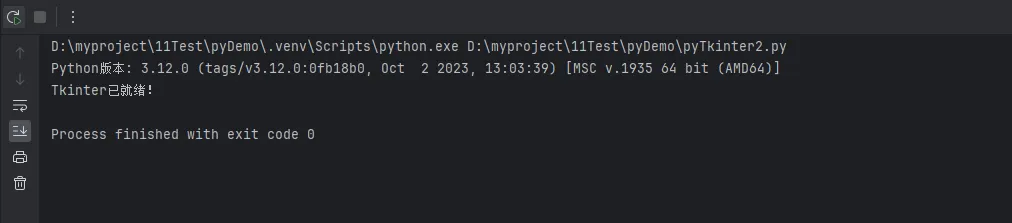
Python# 检查Python版本(建议3.7+)
import sys
print(f"Python版本: {sys.version}")

# 验证Tkinter可用性
try:
    import tkinter as tk
    print("Tkinter已就绪!")
except ImportError:
    print("Tkinter未安装")
🚀 代码实战
📝 第一个最简单的窗口
让我们从最基础的窗口开始:
Pythonimport tkinter as tk

# 创建根窗口
root = tk.Tk()

# 设置窗口标题
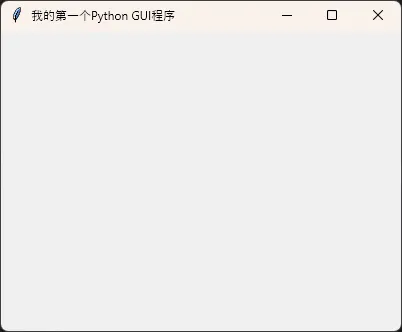
root.title("我的第一个Python GUI程序")

# 设置窗口大小
root.geometry("400x300")

# 启动事件循环
root.mainloop()